Why your white noise app stops playing in the middle of the night
A white noise app usually stops overnight for one of a few reasons: it isn't built to play in the background, the phone's battery saver closes it, a call or alarm interrupts it and it never comes back, or an ad, a Wi-Fi drop or a forgotten timer cuts the sound. On Android, battery optimization is the most common culprit. Each one has a fix.
Why does my white noise app stop playing?
It's rarely random. The phone is doing what it was told, by the app or by its own power settings. Here are the nine causes we see most.
| Cause | What you notice | Fix |
|---|---|---|
| No proper background audio | Sound stops when the screen locks or you switch apps | Use an app built for background playback; do a 10-minute lock test |
| Android battery optimization | Stops after a while, often hours in | Set the app's battery use to Unrestricted |
| Interruption with no resume | Silence after a call, alarm, Siri or notification | Use an app that resumes; turn on Do Not Disturb |
| Bluetooth or audio route change | Stops when a speaker or earbuds disconnect | Play from the phone or a speaker that stays on and in range |
| Ads inside the app | Sound cuts out or changes when an ad loads | Go ad-free or use an app with no ads |
| Streaming dropout | Stops or stutters when Wi-Fi blips | Download the sound or use an offline app |
| A timer you forgot | Stops at the same time every night | Check the timer setting and turn it off |
| Low battery or a hot phone | Phone dies or apps close near morning | Keep it plugged in and out from under the pillow |
| Another app takes the audio | Stops when a video, podcast or game starts | Start the white noise last, then leave the phone alone |
The app doesn't use a proper background audio session
iPhone and Android both let an app keep playing sound with the screen off, but only if the app is built to ask for it and handle it properly. An app that doesn't, or a web page in a browser tab, gets paused when you lock the phone or switch to something else.
The test is simple. Start the sound, lock the phone, and leave it for 10 minutes. If it's quiet when you come back, this is your problem, and no setting on your end will fully fix it. You need a different app.
Android battery optimization closes the app
Android limits what apps can do in the background to save battery, and some phone makers are stricter than others. A sound app running quietly for eight hours looks like exactly the kind of thing the system wants to shut down.
App makers know this well. BetterSleep's own support page for sounds stopping on Android tells you to disable battery optimization (and to try changing its "Loop correction mode" setting). TMSOFT's White Noise FAQ lists Android's battery management killing playback as one of the reasons audio stops.
The fix on most Android phones: open Settings, go to Apps, pick your sound app, open Battery, and choose Unrestricted (sometimes called "Don't optimize"). Menu names vary by phone maker. Some phones also keep their own list of apps to put to sleep, so make sure your sound app isn't on it.
iPhone doesn't have a per-app battery switch like this, so if you're on iPhone the cause is usually something else on this list.
A call, alarm, Siri or notification interrupts it
When a call comes in, the phone pauses other audio. Alarms, Siri and some notifications do the same. When the interruption ends, the system tells the app it can start again, but the app has to actually do it. Plenty don't.
TMSOFT's FAQ covers notifications, calls and texts as causes of stopped audio, and Calm has a whole support article on audio stopping or pausing during a session.
The fix: turn on Do Not Disturb or a Sleep Focus at bedtime so fewer things interrupt in the first place, and check that your alarms are still allowed through. Then pick an app that resumes on its own. Sleepy Noise, for example, pauses for a call or alarm and fades back in when it's over.
Bluetooth and audio route changes
If you play through a Bluetooth speaker or earbuds and the connection drops (low battery, out of range), the phone switches where audio goes. Many apps treat that as a reason to pause. The reverse also happens: some apps start playing on their own when the phone connects to a car or speaker. TMSOFT's FAQ mentions Bluetooth auto-connect as a cause too.
The fix: play from the phone's own speaker, or from a speaker that stays powered and in range all night. Charge earbuds before bed if you sleep in them.
Ads inside the app interrupt the sound
Free apps paid for by ads have to show those ads somewhere, and sometimes that collides with the audio. White Noise Lite, the long-time category leader with a 4.8-star rating from about 277,000 iOS ratings, listed "fixes to certain ads disrupting audio" in its App Store release notes. Credit to TMSOFT for fixing it and saying so plainly.
The fix: pay to remove ads (the full White Noise app is $0.99 as of October 2026), or use one of the white noise apps without ads.
Streaming dropouts on Wi-Fi
Anything that streams its sounds, rather than storing them on the phone, depends on your connection all night. A router update or a weak signal in the bedroom is enough to end the night early. This is one of several overnight problems with YouTube, Spotify and Alexa for white noise.
The fix: download sounds for offline use, or use an app that doesn't need the internet at all.
A sleep timer you forgot about
Some apps default to a timer, or keep the one you used for a nap last Tuesday. Others don't offer continuous play at all; App Store reviews of Baby Shusher ask for a continuous mode.
If it stops at the same point every night, open the timer setting and turn it off.
Low battery or a hot phone
A phone at 15% at bedtime won't make it to 6 a.m. And phones protect themselves when they get hot, which can mean closing apps. A phone charging under a pillow or inside a blanket gets warm fast. BetterSleep has its own article on why the app uses so much battery.
The fix: plug the phone in, on a nightstand or shelf, with some air around it.
Another app takes over the audio
On both iPhone and Android, starting a video, a podcast or a game with sound usually stops whatever was playing. The fix is to start the white noise last, then put the phone down.
How to stop white noise from stopping on iPhone
- Use an app, not a browser tab.
- Do the 10-minute lock test once with any new app.
- Turn on Sleep Focus or Do Not Disturb, and confirm your alarms are still allowed.
- Check the app's timer and turn it off if you want all-night sound.
- Plug the phone in and keep it out from under pillows.
- Use sounds stored on the phone, not streamed.
- Don't open another audio or video app after you start the sound.
How to keep sleep sounds playing overnight on Android
- Set the app's battery use to Unrestricted, or turn off battery optimization for it.
- Turn on Do Not Disturb, allow alarms, and check that media sound is still allowed.
- Keep the phone charged overnight.
- Use offline sounds instead of streaming.
- Don't use a browser tab for overnight sound.
- Check the in-app timer.
- If your app has its own fix-it setting, like BetterSleep's loop correction option, try it.
Do the white noise players on websites keep playing?
Usually not on a phone. Phone browsers generally stop audio when the screen locks, and that includes the free players on this site, like white noise and brown noise. They're useful for trying a sound, or for a laptop at a desk that stays awake. For a whole night on a phone, use an app. The Sleepy Noise app plays those same core sounds with the screen locked.
Where Sleepy Noise fits
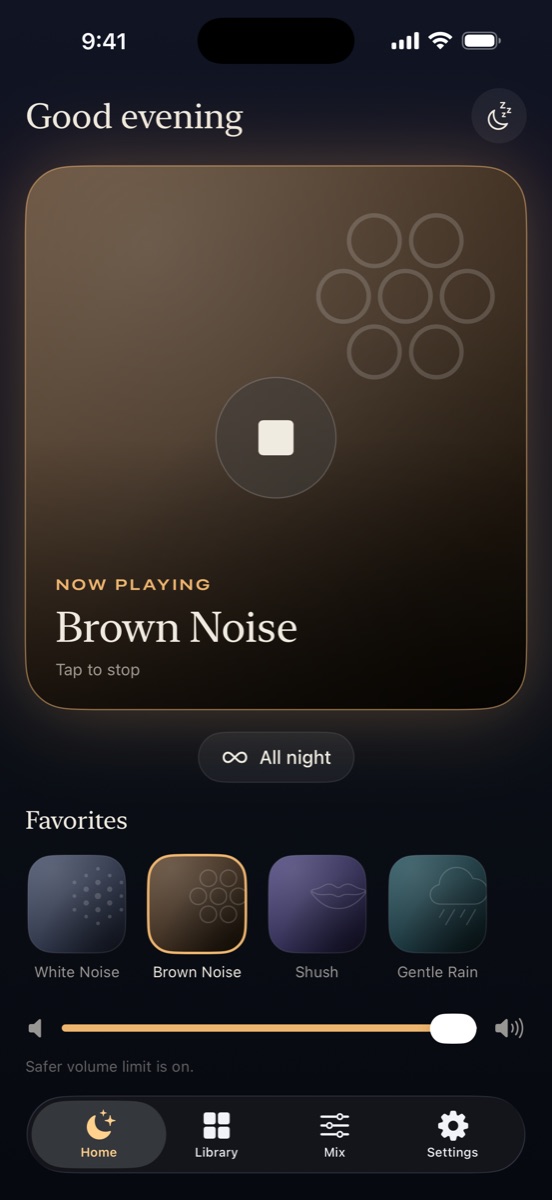
We built Sleepy Noise around the list above, mostly because we lived it at 3 a.m. Here's what it does by design:
- It uses native background audio on iPhone and Android, so locking the phone doesn't stop it.
- It plays all night by default and only stops if you set a timer (15, 30, 60 minutes or longer). Timers fade out instead of cutting off.
- Calls, alarms and Siri pause the sound, and it fades back in afterward.
- It handles audio route changes and never auto-plays when the phone connects to a car or Bluetooth.
- It works offline. Most sounds are generated live on the phone, so there's nothing to stream and no loop to hear.
- No ads, ever, and no account.
- If you start other audio on purpose, like a podcast, it stops, since you chose that.
What it can't do: keep a dead phone playing, or fully overrule a phone maker's battery rules. On Android we still suggest setting it to Unrestricted. The 12 core sounds are free forever, and Sleepy Noise Lifetime is a one-time $9.99 for the extra sound packs. If you're wondering whether all-night sound is a good idea in the first place, we wrote about whether white noise should play all night, and there's a separate guide to white noise for babies.
Frequently asked questions
Why does my white noise stop when my phone screen locks?
The app or website isn't set up to keep playing in the background, or the phone is closing it to save power. Try a 10-minute lock test, and if the sound stops, switch to an app built for background audio.
Why do sleep sounds stop overnight on Android?
Most often it's battery optimization closing the app after it has run for a while. Set the app's battery use to Unrestricted in Settings, and take it off any list of apps your phone puts to sleep.
Does Do Not Disturb stop white noise?
On iPhone, Do Not Disturb and Sleep Focus don't mute media that's already playing; they reduce the calls and notifications that interrupt it. On Android, check that media sound is allowed in your Do Not Disturb settings.
Why does my white noise app stop after a phone call or alarm?
The phone pauses other audio during calls and alarms, and some apps never start again afterward. Look for an app that resumes on its own after an interruption.
Why does my white noise stop at the same time every night?
That's almost always a sleep timer. Open the app's timer setting and turn it off, or set it longer than you need.