The app
Everything a browser tab can't do
The sounds on this site are the real thing. The app is what keeps them going all night: screen off, phone locked, through calls and alarms, started in one tap from wherever your thumb already is.
- iPhone with iOS 18 or later
- Android 8.0 or later
- Free, with an optional one-time Lifetime
Browser vs. app
What you’re missing in a browser tab
The players on this site use the same sound engine as the app. A browser just can’t hold on to them once your phone locks.
One tap
Your sound, from wherever your thumb is
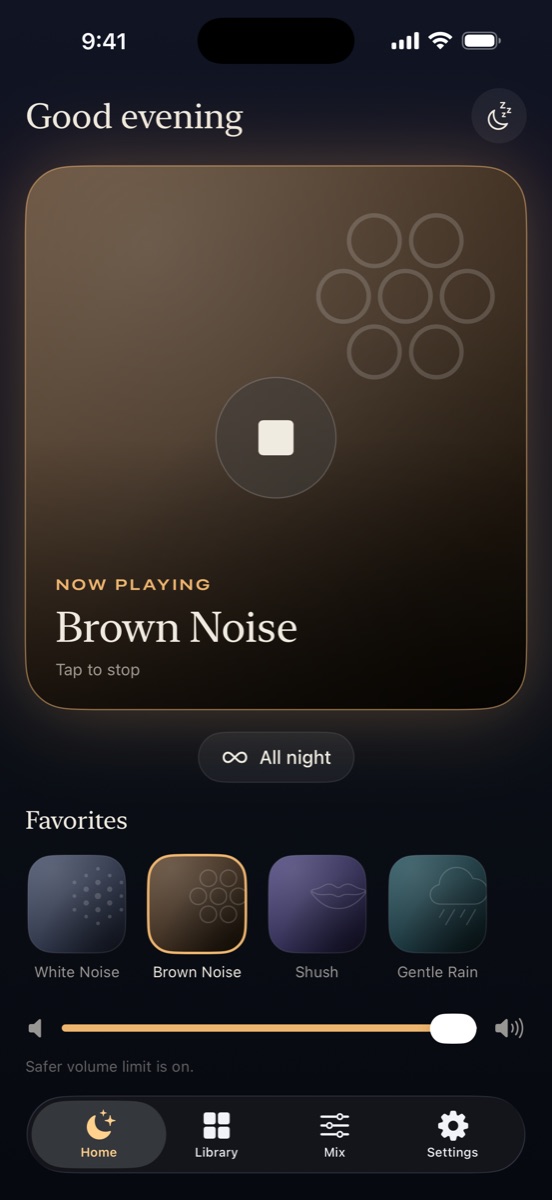
The app opens straight to one big button that plays My Sound, a single sound or a saved mix. No menu, no splash screen, nothing to dismiss.
You don't even have to open it. On iPhone, start it from a Home or Lock Screen widget, Control Center, the Action Button, or by saying "Hey Siri, play My Sound in Sleepy Noise." On Android, use the widget, a Quick Settings tile or the app shortcut.
- Widget
- Lock Screen
- Control Center
- Action Button
- Siri
- Quick Settings
All night
Built so the sound is still there at 4 a.m.
Sound plays until you stop it unless you set a timer. A call, an alarm or Siri pauses it, and it fades back in afterward. Every sound is on the phone, so there's nothing to buffer and no Wi-Fi to drop.
It also never does anything you didn't ask for: it won't start when your phone connects to the car or a speaker, and if you start a podcast, it steps aside. Timers fade out instead of cutting off.
- 10:41 pm You tap My Sound. It fades in.
- 12:15 am A text arrives. Nothing happens.
- 2:03 am Your alarm for a feed goes off. The sound pauses, then fades back in.
- 3:30 am The Wi-Fi drops. Nothing to buffer; it keeps playing.
- 6:30 am Still playing. You stop it.
Mix
Layer up to three sounds
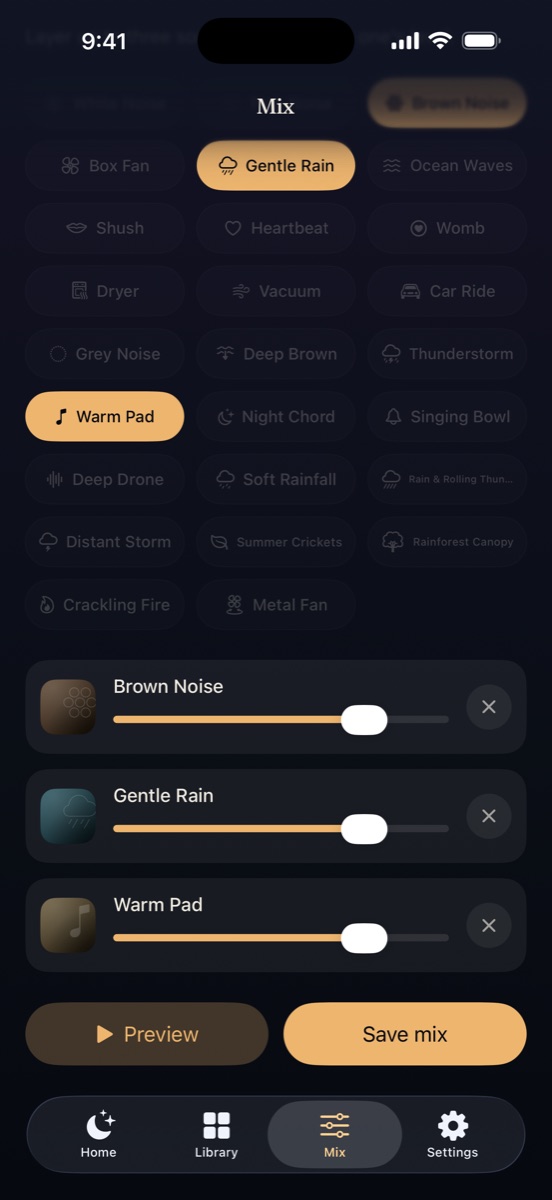
Brown noise under rain. A fan under ocean waves. Pick up to three sounds and set each one's level; they play while you build the mix. Every sound is matched in loudness, so nothing jumps out when you add it.
Save a mix and it can become My Sound. The free app keeps one saved mix; Lifetime keeps as many as you like.
Night screen
Nothing bright on the nightstand
A pure black screen with a dim clock, for when you want to see the time without lighting up the room. Prefer the screen off? The sound doesn't care either way.

For the nursery
Set up for a baby, quiet about it
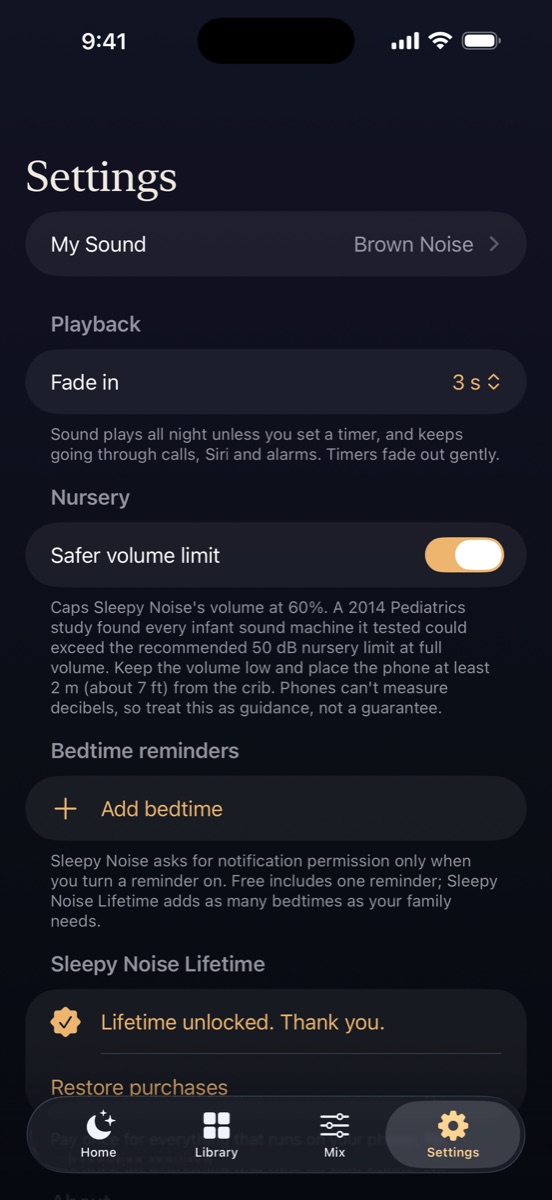
The safer volume limit is on from the first launch and caps the app at 60%, with a reminder to keep the phone about 2 m (7 ft) from the crib. Phones can't measure decibels, so it's guidance, not a guarantee.
Shush, heartbeat and womb sounds are free. Bedtime reminders ask for notification permission only when you turn one on, and nothing pops up while a sound is playing: no ratings prompts, no upsells.
Library
Twelve sounds free, forever. More if you want them.
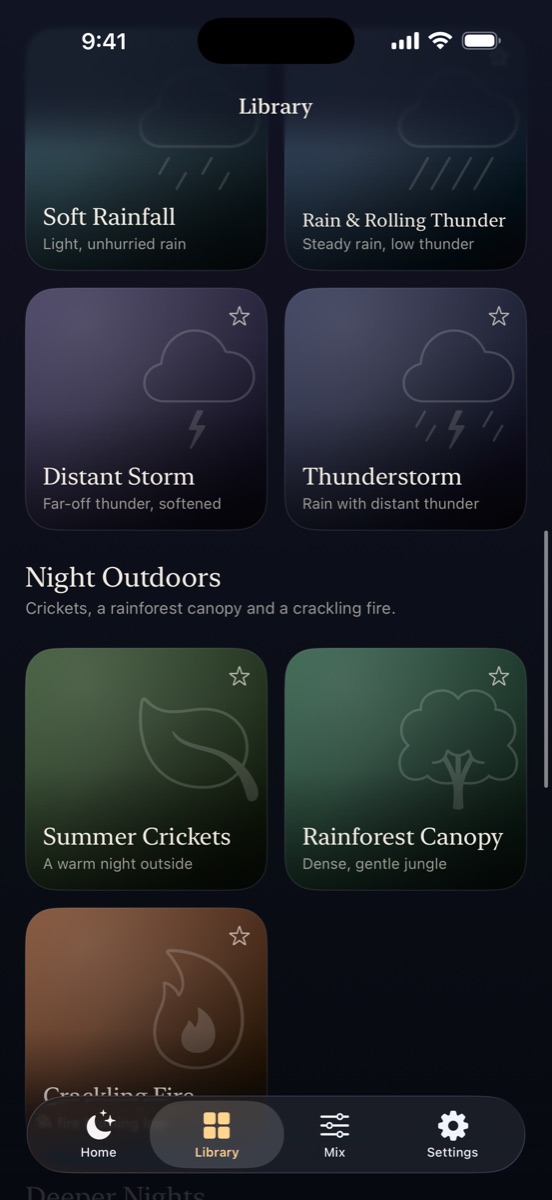
The core twelve never move behind a paywall. Lifetime, a one-time $9.99, adds every sound pack, including ones we add later: real rain and storms, crickets and a fireplace, deeper noise and a loud fan, and soft tones tuned to 432Hz. Pack sounds sit in your Library greyed out, so you can see exactly what you'd get.
Switching from something else?
The problems it was built to fix
Your sleep app goes quiet at 2 a.m.
Native background audio that resumes after interruptions.
Why sleep apps stop at nightAn ad breaks in halfway through the night
There is no ad code in the app at all.
White noise apps without adsA 10-hour video loops, autoplays or needs Premium
Generated live, offline, and it never switches to something else.
YouTube, Spotify and Alexa overnightAnother yearly subscription for sleep sounds
Free core sounds and a one-time $9.99 Lifetime.
Hatch app alternativesWorried it's too loud for the baby
A safer volume limit, on by default.
How loud white noise should be for a baby
Is Sleepy Noise on iPad?
It's built for iPhone; there's no iPad version yet. On Android it runs on phones with Android 8.0 or later.
What iPhone do I need?
Any iPhone that runs iOS 18 or later.
Does it work with AirPods or a Bluetooth speaker?
Yes. It plays through whatever your phone is connected to, and it never starts on its own when a car or speaker connects.
Will it drain my battery overnight?
It's built to be light: sounds are generated efficiently on the phone, nothing streams, and the night screen is pure black. Plenty of people still keep the phone plugged in overnight, which is a good habit with any sleep app.
If I get a new phone, do I lose Lifetime?
No. Sign in with the same Apple ID or Google account and tap Restore purchases in Settings. On iPhone, Lifetime also works with Family Sharing.
Is there an Apple Watch app?
Not yet. Today you can start your sound from the iPhone lock screen, Control Center, the Action Button or Siri.
Sleepy Noise for iPhone and Android
Free to download. No account to make.
Pick your sound once. After that it's one tap, every night, with no ads and nothing to sign up for. Lifetime is there if you ever want more.
- Free core sounds, no ads, ever
- Plays all night with the screen off
- Lifetime is $9.99 once, not a subscription